


Almas Kasymzhanov is an entrepreneur and analyst writing about marketplaces, technology and Central Asian economies. He also writes for Forbes Kazakhstan.
Most sellers spend half a day hunting for a product and still end up guessing. I asked an AI and five minutes later had three ready-to-go niches to launch on Kaspi — with prices, the share of «unbranded» listings (open cards anyone can sell on), and a rough buy plan for a ₸5 million (~$10K) budget.
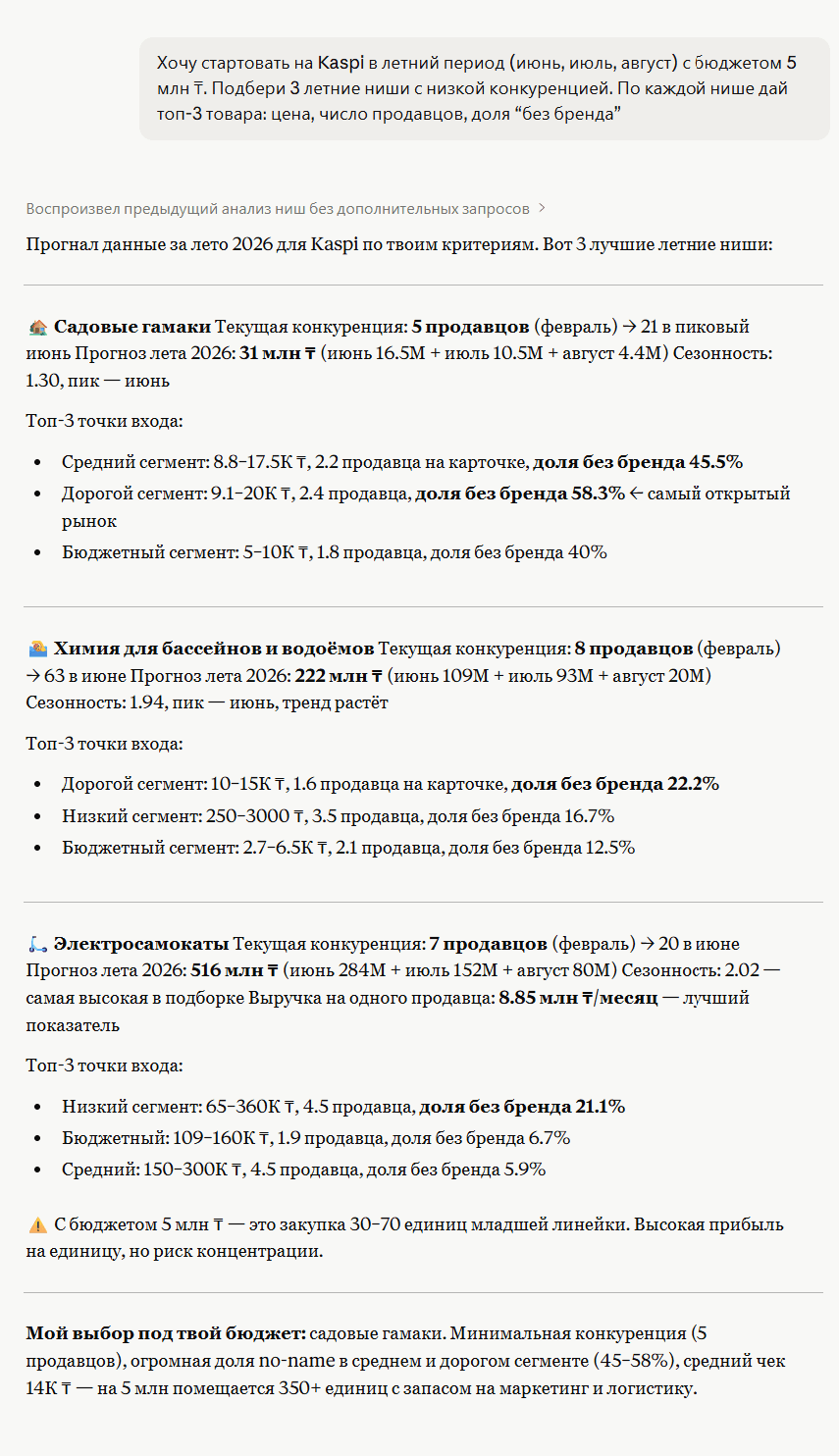
No magic, no pricey dashboards. Through an MCP connector, Claude pulls data from Redstat (my marketplace-analytics service) and answers in plain words. All you need is a free Claude account and five minutes.
How to set up your own analyst in 5 minutes
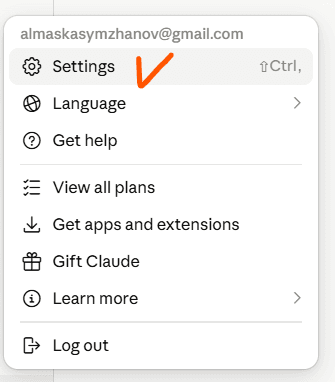
Open settings
Open Claude, click your account, and choose Settings.
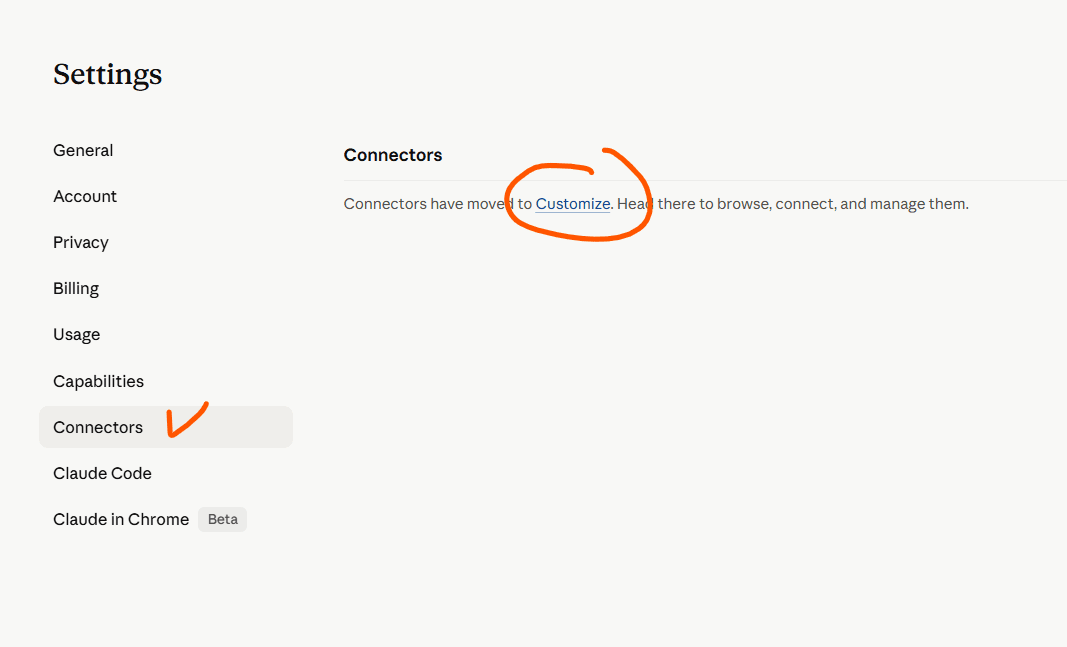
Open the connectors section
In the left menu, choose Connectors and follow the Customize link. This is where you add and set up connectors.
Add the connector and paste the link
Click «+» at the top and choose «Add custom connector». In the dialog, type a name (e.g. «Kaspi») and paste the connector link, then click Add:
https://mcp.redstat.kz/mcp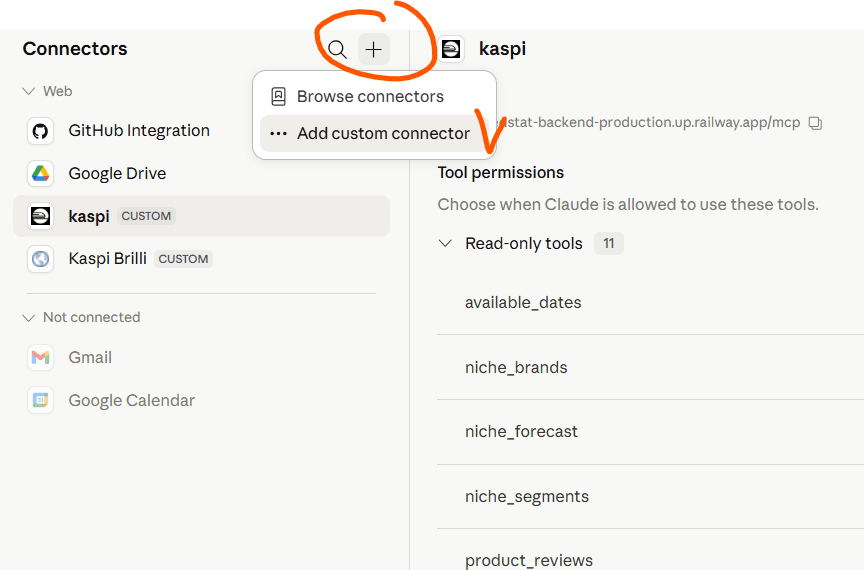
Sign in to Redstat (if prompted)
From here, two things can happen:
- The connector linked on its own. Great — skip to step 5.
- Claude asked you to go to Redstat. That's normal. A Redstat page opens. If you already have an account, just sign in; if not, register (easiest via Google, one click).
Once you sign in, the connector links itself — no need to come back here.
Grant permissions
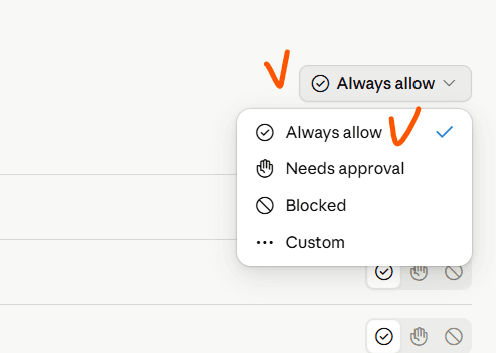
On the right, open the dropdown next to each tool and choose «Always allow» so Claude can reach the data without asking every time. Done — your analyst is connected.
Asking questions
Open a new chat and just describe what you want in plain words. For example:
Find the best niches to launch on Kaspi this summer, budget ₸5M. Where to go in with a brand, and where unbranded (open listings) works. Give me the average price and how many units I can buy.
Break down the garden-hammock niche: price segments, unbranded share, top 3 listings, and competition.
Analyze the reviews for this product and tell me what to improve in the listing and in the product itself.
Claude pulls the niche analytics on its own, lays out the segments and suggests where a newcomer should get in. No spreadsheets by hand.
Get Kasymzhanov in your inbox / New investigations and data notes from Kazakhstan and Central Asia.
Comments 0
No comments yet. Be the first.